
网络设置
有科学网关可指向科学网关,没有就指向主路由
软件源设置(debian 源、PVE 源、企业源、ceph 源)
科学环境下源修改
禁用企业源和 Ceph 源,将文件中的内容注释掉(在行前加 #)
bash
nano /etc/apt/sources.list.d/pve-enterprise.list
bash
nano /etc/apt/sources.list.d/ceph.list
然后执行命令添加非订阅 PVE 源(默认为官方订阅源,免费个人用户需要官方提供的非订阅源才可正常更新 PVE):
bash
echo "deb http://download.proxmox.com/debian/pve bookworm pve-no-subscription" > /etc/apt/sources.list.d/pve-no-subscription.list
移除订阅提示pve8.0:
bash
sed -i.backup -z "s/res === null || res === undefined || \!res || res\n\t\t\t.data.status.toLowerCase() \!== 'active'/false/g" /usr/share/javascript/proxmox-widget-toolkit/proxmoxlib.js && systemctl restart pveproxy.service移除订阅提示pve9.0(依次执行以下两条命令):
bash
| cat <<'EOF' >/etc/apt/apt.conf.d/no-nag-script | |
| DPkg::Post-Invoke { "dpkg -V proxmox-widget-toolkit | grep -q '/proxmoxlib\.js$'; if [ $? -eq 1 ]; then { echo 'Removing subscription nag from UI...'; sed -i '/.*data\.status.*active/{s/!//;s/active/NoMoreNagging/}' /usr/share/javascript/proxmox-widget-toolkit/proxmoxlib.js; }; fi"; }; | |
| EOF |
sql
apt --reinstall install proxmox-widget-toolkit && service pveproxy restart直连网络更换国内源
中科大源:
https://mirrors.ustc.edu.cn/help/proxmox.html
清华源:
https://mirrors.tuna.tsinghua.edu.cn/help/proxmox
更新 PVE
sql
| apt update | |
| apt dist-upgrade |
添加CPU、硬盘等详细信息显示
下载脚本
https://github.com/a904055262/PVE-manager-status
上传至root目录,赋予755权限。
然后执行
bash
./showtempcpufreq.sh
脚本中有移除订阅。
开启CPU节能模式
安装必备工具
undefined
apt install linux-cpupower powertop -y
执行以下命令开启高性能或者省电模式
全核高性能
python
cpupower frequency-set -g performance
全核省电
python
cpupower frequency-set -g powersave
0-16 开启高性能
python
cpupower -c 0-15 frequency-set -g performance
切换全核省点模式后重启PVE会自动变回高性能模式,需要再次执行省电命令即可!
删除 PVE 多余和未使用内核
查看当前用的内核
bash
uname -a
查看系统有多少个内核
sql
dpkg --get-selections |grep kernel
卸载无用内核
css
dpkg --purge --force-remove-essential proxmox-kernel-6.8.12-5-pve-signed
把不用的内核删除完成后,更新引导菜单
sql
update-grub
重启 PVE
清理内核脚本:
https://github.com/jordanhillis/pvekclean
虚拟机标示样式:
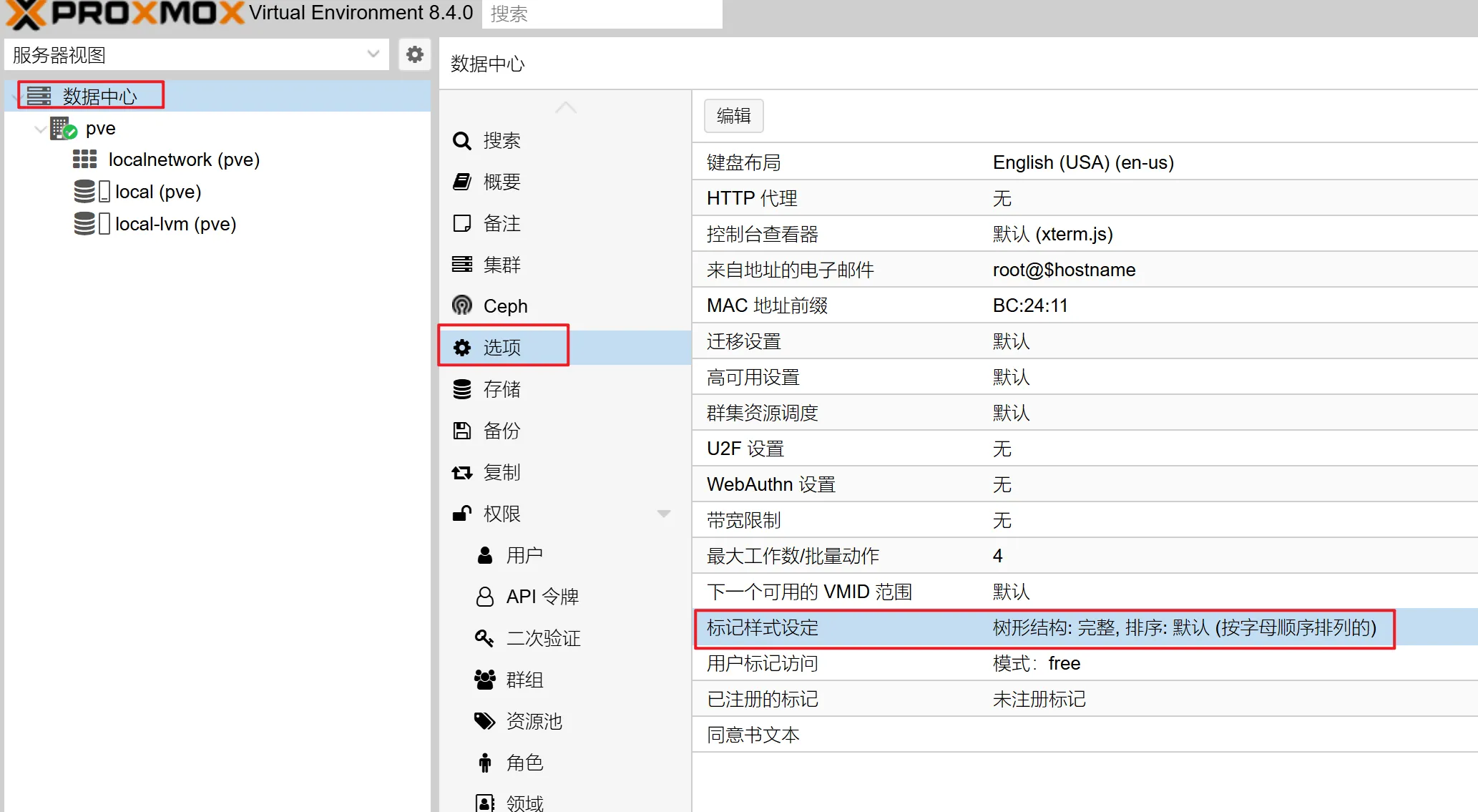
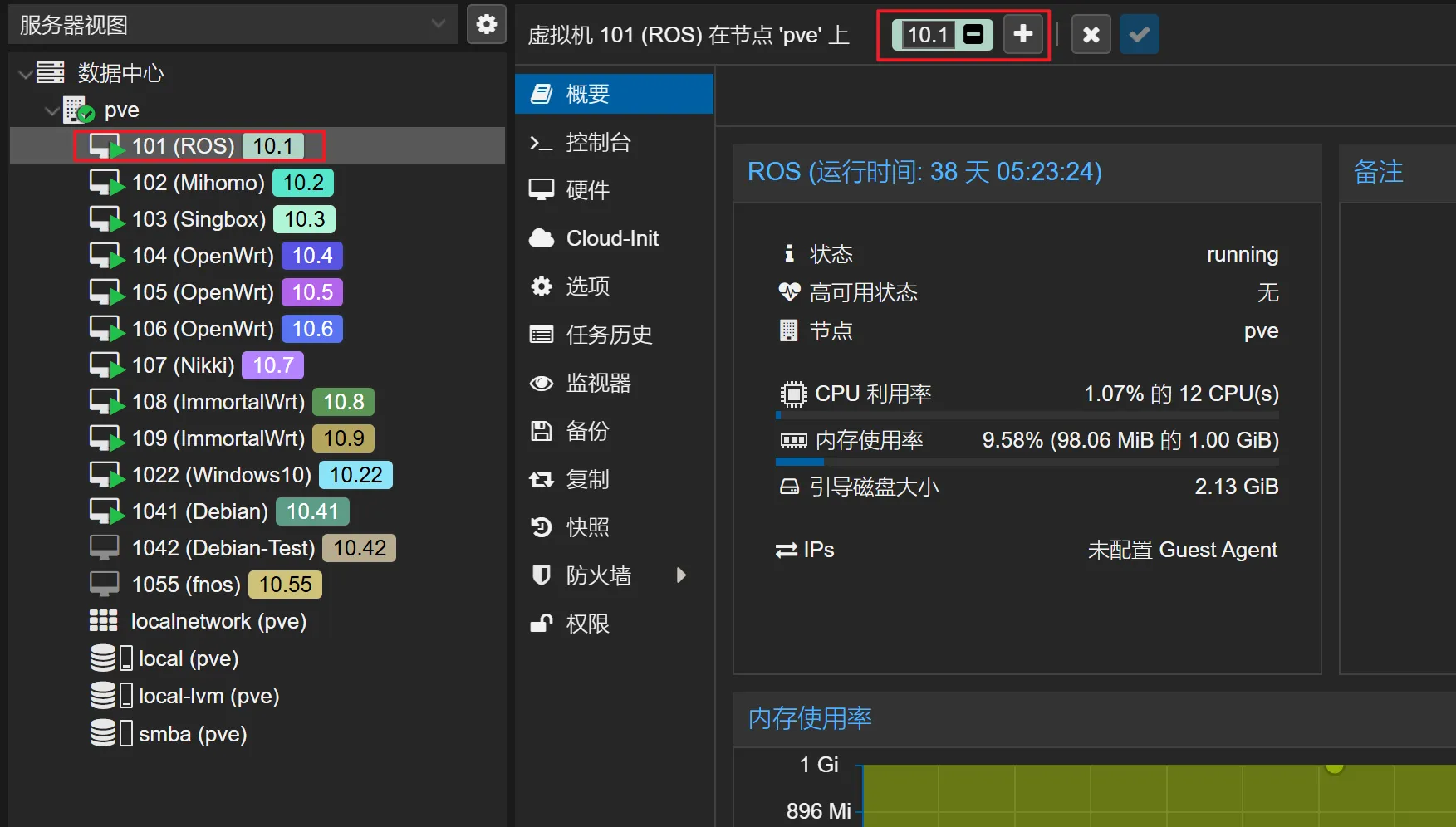
一键优化脚本(常用脚本有老虎和 PVE tools)
https://bbs.x86pi.com/thread?topicId=20
https://github.com/ivanhao/pvetools
转载自:七尺宇博客
正文完